Puff counters and coil-life indicators: how accurate are they?
Last updated 18 September 2026
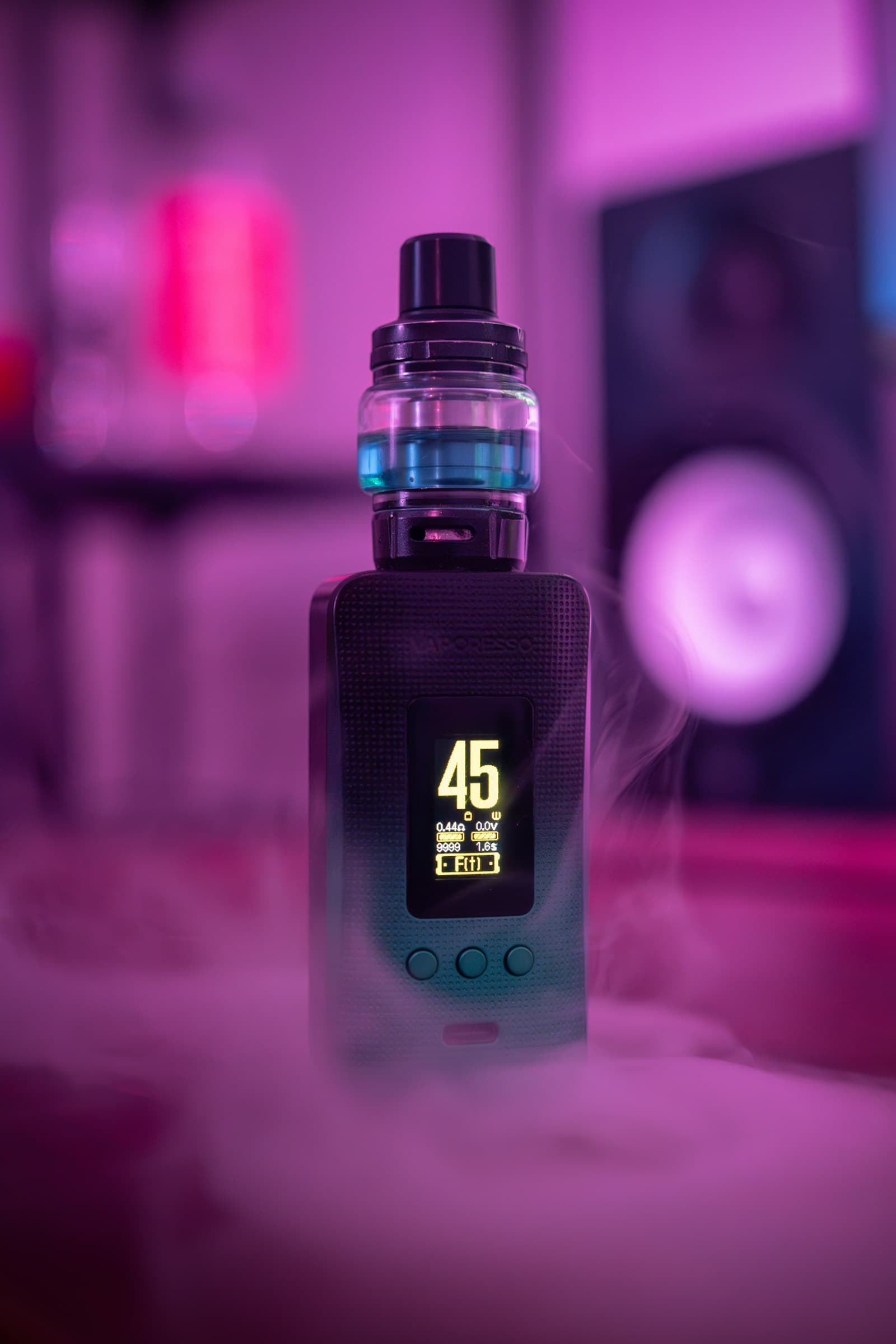
Many pod kits and mods now show a running puff count on screen, and some go further with a coil-life or wear indicator that hints when a coil needs replacing. Both features look precise, showing a specific number, but the way that number is generated is closer to an estimate than a direct measurement. This guide explains how each feature actually works, what can throw the count off, and why your own taste and vapour output remain the more reliable signal day to day.
How puff counting actually works
A puff counter is tracked entirely by the device’s chipset. Most designs count every time the firing button is held past a short activation threshold, or, on auto-draw devices, every time the airflow sensor detects a draw lasting longer than its own trigger threshold. That threshold is set by the manufacturer and rarely published, but is commonly in the region of a fraction of a second. Each qualifying activation adds one to a running total stored in the chipset’s memory, shown on the device screen or, on some models, in a companion app. The chipset has no way to measure how much vapour you actually inhaled, how long you held the draw beyond that threshold, or how deep the puff was; it can only log that an activation happened.
How coil-life or wear indicators work
Coil-life indicators generally use one of two approaches, and manufacturers do not always disclose which a given device relies on. The simpler method sets a fixed puff-count estimate for a given coil type, based on typical testing, and flags a warning or counts down once the puff total passes that figure. The second, more responsive method continuously reads the coil’s real-time resistance and compares it against the resistance recorded when the coil was first installed; a coil that has coked up or thinned through wear usually shows a small but measurable resistance drift, which the chipset can flag as a wear warning independent of puff count. Devices using resistance-drift tracking tend to respond better to how a coil is actually used, since the same coil wears differently depending on the wattage it is run at.
Where the count is shown and how to check it
On devices with a screen, the puff count is usually accessible either as a permanent figure alongside wattage and battery percentage, or tucked into a menu reached by a specific button combination, which varies by manufacturer and is worth checking in the printed manual rather than assuming a universal shortcut. Devices without a screen at all, including many simpler pod kits, generally do not track or display a puff count, and instead rely on a basic LED to signal low battery or a firing fault rather than usage statistics. Where an app is available, it typically pulls the same figure from the device over Bluetooth rather than tracking anything independently, so the two numbers should always match.
Why it is a rough guide, not a precise measurement
Both approaches are estimates, not lab-grade sensors. A fixed puff-count threshold cannot know whether your puffs were long, drawn hard, or barely qualified past the activation threshold, and it cannot account for e-liquid type. Higher-VG liquids and liquids containing sweeteners are generally understood to coke coils faster than thinner, higher-PG liquids, which shifts how long a coil genuinely lasts regardless of what the counter shows. Resistance-drift tracking responds more closely to actual wear but is still reading a single electrical value, not directly measuring flavour, vapour production or coil condition. Treat either indicator as a prompt to pay closer attention rather than a verdict on the coil.
What can throw the count off
- Button misfires. A device carried loose in a pocket or bag can have its firing button pressed accidentally, particularly on mods without a lock feature engaged, adding activations that were never actual puffs.
- Short check presses. Briefly pressing the fire button to check wattage, resistance or battery level on the screen can register as a puff on some chipsets if the press runs past the activation threshold.
- Draw-sensor sensitivity. On auto-draw pod kits, drawing air through a near-empty pod, or drawing without much vapour being produced, can still trigger the sensor and count as a full puff.
- Firmware resets or power cycles. Some chipsets reset the puff counter after a full battery depletion or a firmware update, so a sudden drop to zero does not necessarily say anything about the coil itself.
- Coil swaps. Not every device automatically resets the wear indicator when a new coil is fitted; some require a manual reset in a menu, so skipping that step can carry an old coil’s wear data over onto a brand new one.
Reading taste and vapour as the more reliable signal
Because both puff counters and wear indicators are estimates built on assumptions about typical use, the more dependable real-world signal remains what you can taste and see. A burnt, muted or noticeably weaker flavour, a harsher or hotter draw than usual, reduced vapour production, or a gurgling sound from the tank are all commonly cited signs that a coil needs changing, regardless of the on-screen number. Draw style plays a part here too: a longer, more open direct-to-lung puff and a short, restricted mouth-to-lung puff are generally logged identically by the chipset, even though they draw very differently on a coil, which is one more reason the number alone should not be the deciding factor.
At a glance
| Signal | What it is based on | Reliability as a standalone guide |
|---|---|---|
| Puff counter | Button or sensor activations past a threshold | Rough usage tally, not a wear measurement |
| Resistance-drift wear flag | Live coil resistance compared to baseline | More responsive to real wear, still indirect |
| Taste and vapour change | Direct sensory feedback while vaping | Most immediate real-world signal of coil condition |
If you are comparing chipset features before buying, our guide to comparing vape device specs covers puff counters alongside temperature control, preheat curves and screen types, so you know exactly what a spec sheet’s feature list is promising before you rely on it.